
Basics
Camera Controls
 Press and hold the left mouse button to move the camera around. Press and hold the right mouse button to rotate the camera. Scroll the mouse wheel up and down to adjust the camera zoom. Press and hold the middle mouse button to move the camera vertically.
Connectors
 Any structure built on the island needs to be connected with Connectors to the Pirate Camp to operate. Basic Connectors like Bridge, Road, Cliff Path can be placed for free and allow pirates to transport goods. Short-distance connections of neighbouring buildings are established automatically. Connectors can be found in the bottom HUD.
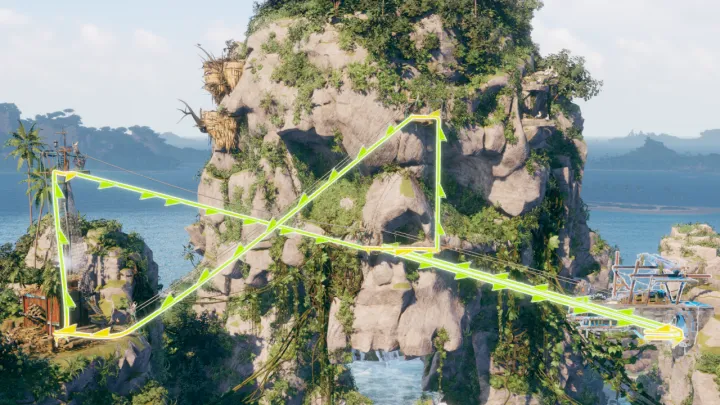 You can speed up transport with advanced infrastructure like Zip Line, Elevator and Aerial Lift. Each has advantages and disadvantages: Zip Lines are long and fast, but go only down. Elevators can be placed only vertically, while Aerial Lifts only horizontally. The Mast allows the creation of additional Anchor Points above your structures to be then used by e.g. Zip Lines.
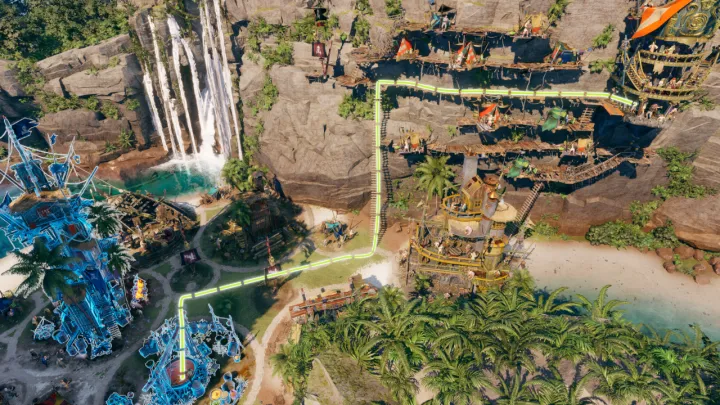 To play smart, remember that the town layout matters. Using a main Road on flat terrain and a main Cliff Path on cliffs enables faster transport, as pirates move across them quicker than bridges or ladders. Keep in mind that your pirates need to go two ways; making them climb up a Zip Line is fun but slower. Finally, Warehouses can be used to improve transportation. Use a Warehouse halfway to the final destination to increase the amount of Fetchers transporting the resources over very long distances.
Game HUD
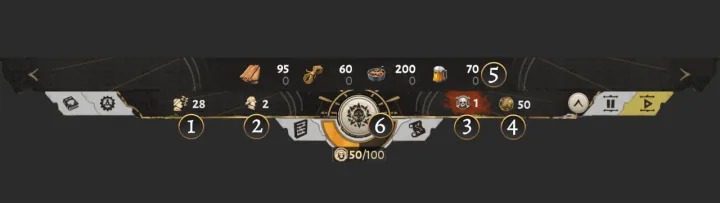 1 - Number of Drifters on your island waiting for assignment. When all Drifters are assigned, construction will be slow and new buildings cannot start production. 2 - Number of Assigned Pirates on your island who require Upkeep resources in addition to Housing. 3 - Number of Pirate Camps on your island. Hover for tooltip showing the Satisfaction of all Pirate Camps. 4 - Amount of Coin you possess. This is a valuable good to influence events or purchase special structures. 5 - Available resources on your island. Hover for a detailed summary tooltip. Use the left and right arrows to page through resource categories. 6 - Cohesion bar. Let it drop to 0, and the game will be lost. Press the Compass button to view unlockable Boosters, Principle Buildings, active Deeds and the Journal of your pirate journey.
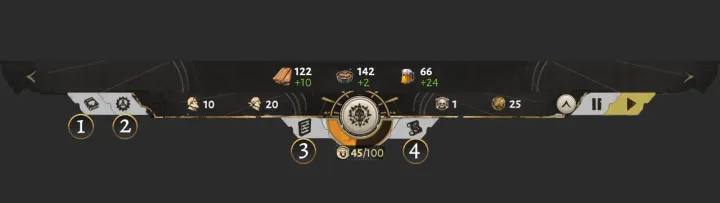 1 - Opens the Codex with detailed explanations. 2 - Opens the Game Menu with access to save games and settings. 3 - Opens the Overviews, showing details on resources, production chains, pirates and ships. 4 - Toggles between the Island and the Map View.
 1 - Activates Demolish Mode to let you remove any structure on click. Selecting the Demolish Mode button again or pressing the right mouse button will deactivate Demolish Mode. Demolishing a structure refunds all Construction Resources. 2 - Opens the Connector Menu with all unlocked Connectors. These are used to connect buildings with each other. 3 - Opens the Construction Menu with all unlocked buildings. 4 - Opens the Building List, which lets you find specific buildings on the island or check how many buildings of a given type exist already. 5 - Opens the Info Layer Menu, which lets you toggle overlay visibility for warnings, deposits, buildings and fortification.
Structure Placement
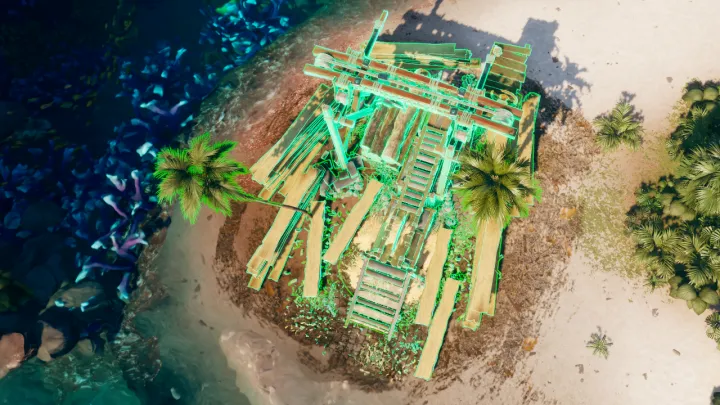 After selecting a Structure in the Construction Menu, you enter pre-placement. Moving the Structure around will show you if the current location is suitable for placement. Keep in mind that you can build each Structure on cliffs as well.
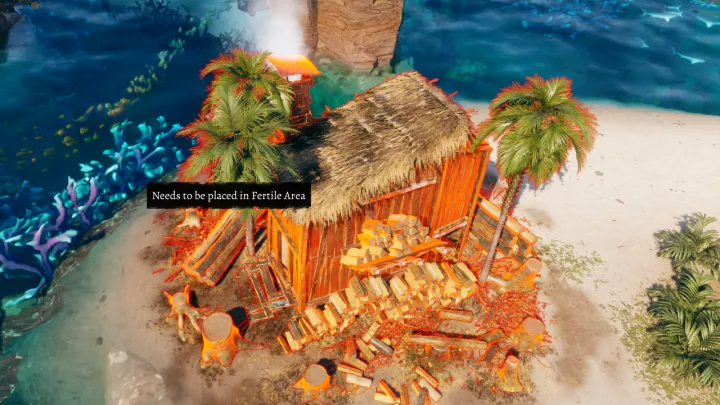 If a placement location is not suitable, the proposed Structure will show a red outline and a tooltip describing the problem with it.
 Demolish Mode can be activated via a button on the bottom of the screen. When active, clicking an existing building will demolish it and fully refund the construction cost.
Repair and Shutdown
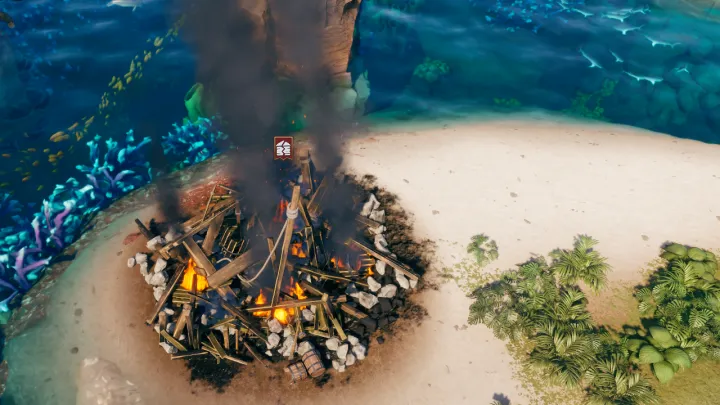 Buildings can be destroyed by enemy ship attacks or raging pirates on your island. Destroyed buildings can be repaired. Repairs require a portion of the original construction resources. If a building with employed Hands is destroyed, then those pirates are lost.
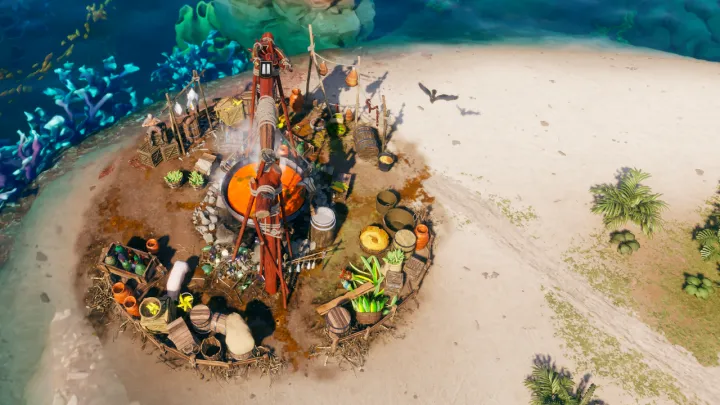 Selected buildings can be shut down via the button at the bottom of their screen. Shut-down buildings free up Drifters and remove required Upkeep from the Pirate Camp. They can be activated again any time as long as enough Drifters are available.
Time Controls
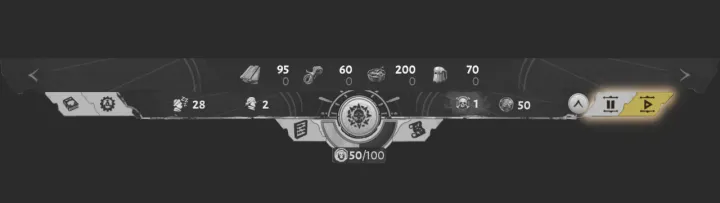 You can pause the game or speed it up by using these two buttons. The game has no time limit. Feel free to adjust the speed to your own pace.